eSign.AIeSign.AI

What is Bulk Send Contracts and Documents?

Bulk sending contracts and documents is a centralized initiation method for large-scale signing needs, used to process the generation, distribution, signing, and progress tracking of multiple identical or similar documents in one go. It is suitable for high-frequency bulk scenarios such as employee onboarding contracts, annual agreement renewals, supplier agreements, and customer order confirmations, helping enterprises reduce repetitive work in creating documents and entering signer information one by one while maintaining consistency in signing processes and document content.

A more efficient way to send

From data import and personalized contract generation to task progress tracking, bulk send makes every signing step clear, accurate, and controllable.

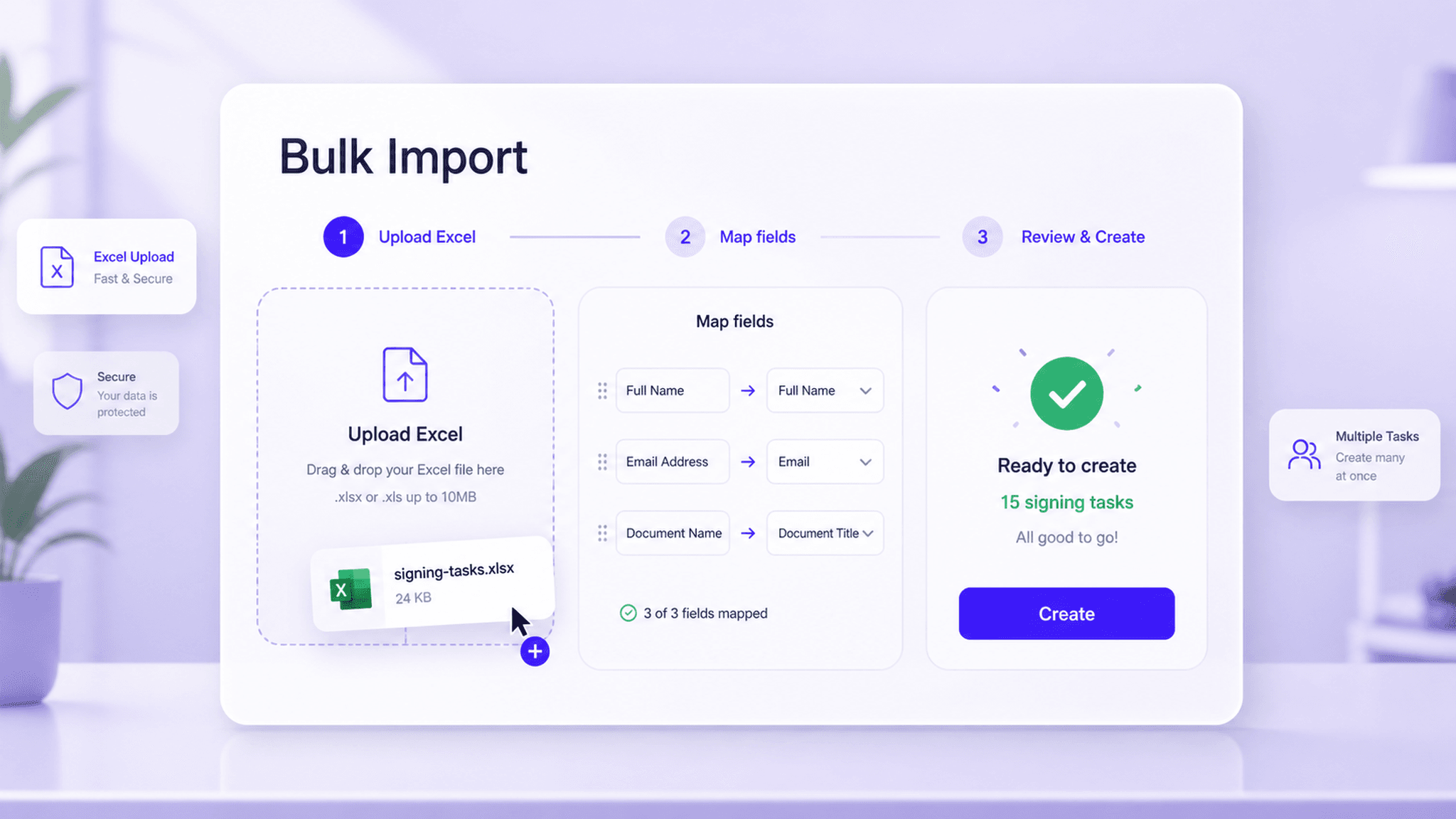
Bulk import via Excel and centrally initiated signing tasks interface

Bulk import via Excel and initiate signing tasks centrally

For scenarios that require processing a large number of signing requests at once, enterprises can use Excel spreadsheets to organize signer information and signing workflow rules, then import them into the system in bulk. The system automatically parses the spreadsheet content and generates the corresponding signing tasks, avoiding the need to create documents, enter contacts, and set signing orders one by one. This capability is especially suitable for high-frequency processes such as HR onboarding signing, annual agreement renewals, and customer confirmation letter delivery, helping business teams initiate bulk tasks based on unified data, reduce manual operation costs, and maintain process consistency.

  • Import signer information in one go
  • Automatically generate signing tasks
  • Built for HR bulk contract signing
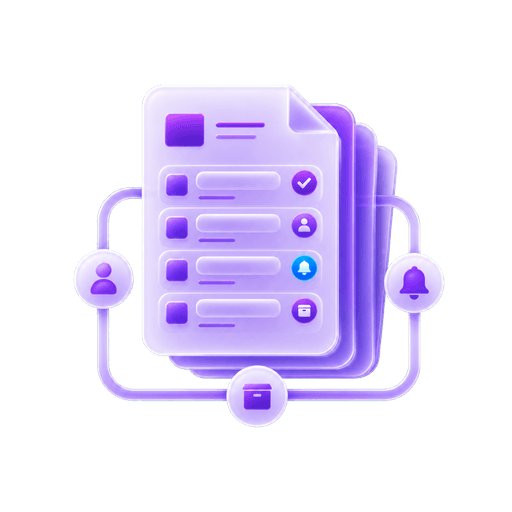
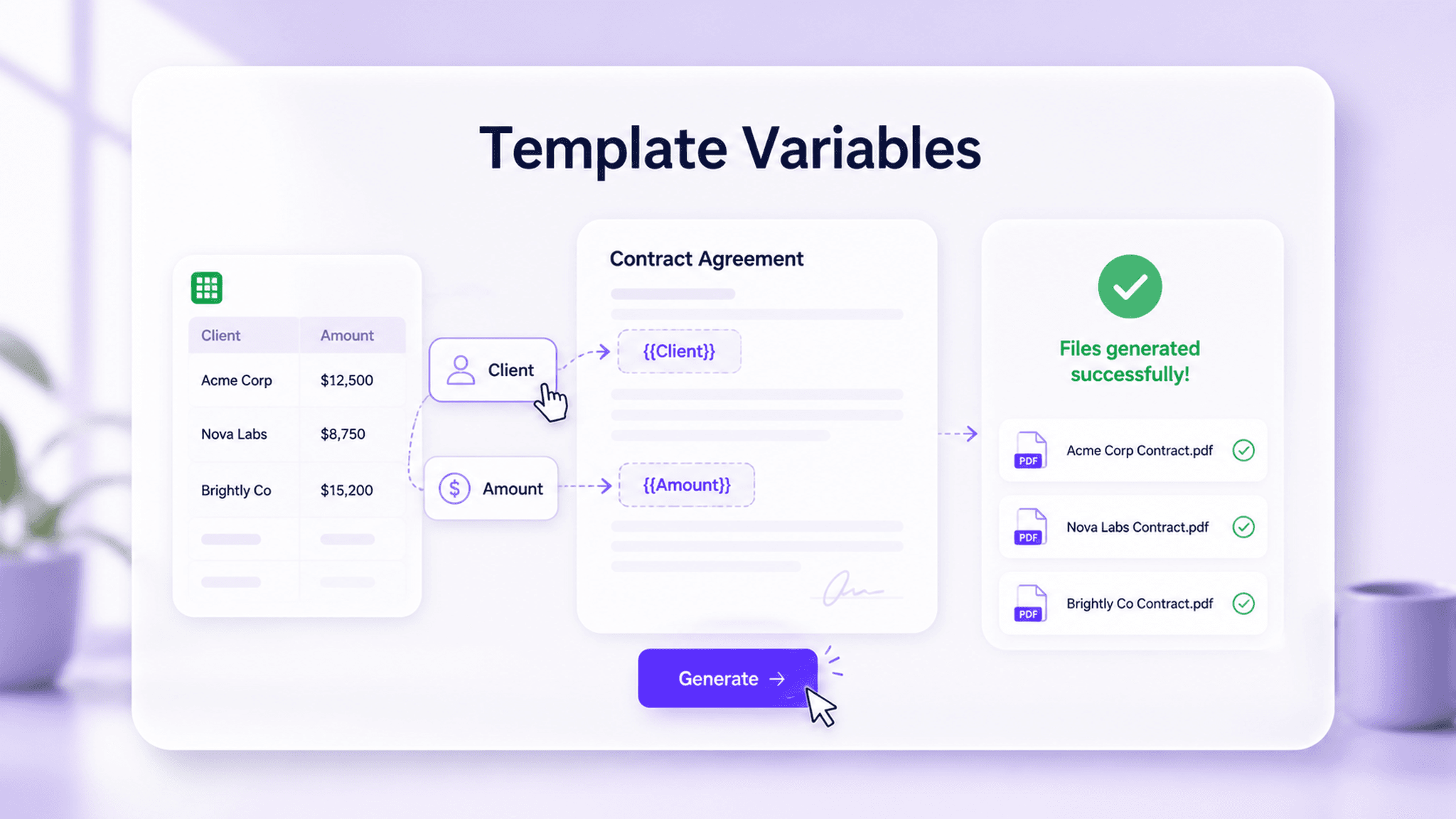
Template and variable-based personalized document generation interface

Combine templates with variables to generate personalized documents

Enterprises can preconfigure standard contract templates and set variable fields such as customer name, contract amount, effective date, and order number. When a bulk send is initiated, the system automatically fills the template content based on the data in Excel, generating personalized documents for different signing parties. Through template-based management and automatic variable matching, enterprises can ensure a consistent document format while accurately presenting the differentiated information in each contract, reducing the burden of repetitive editing and content proofreading.

E-commerce order agreementsBulk generate orders for different customers
Customer contractsAutomatically populate amounts and dates
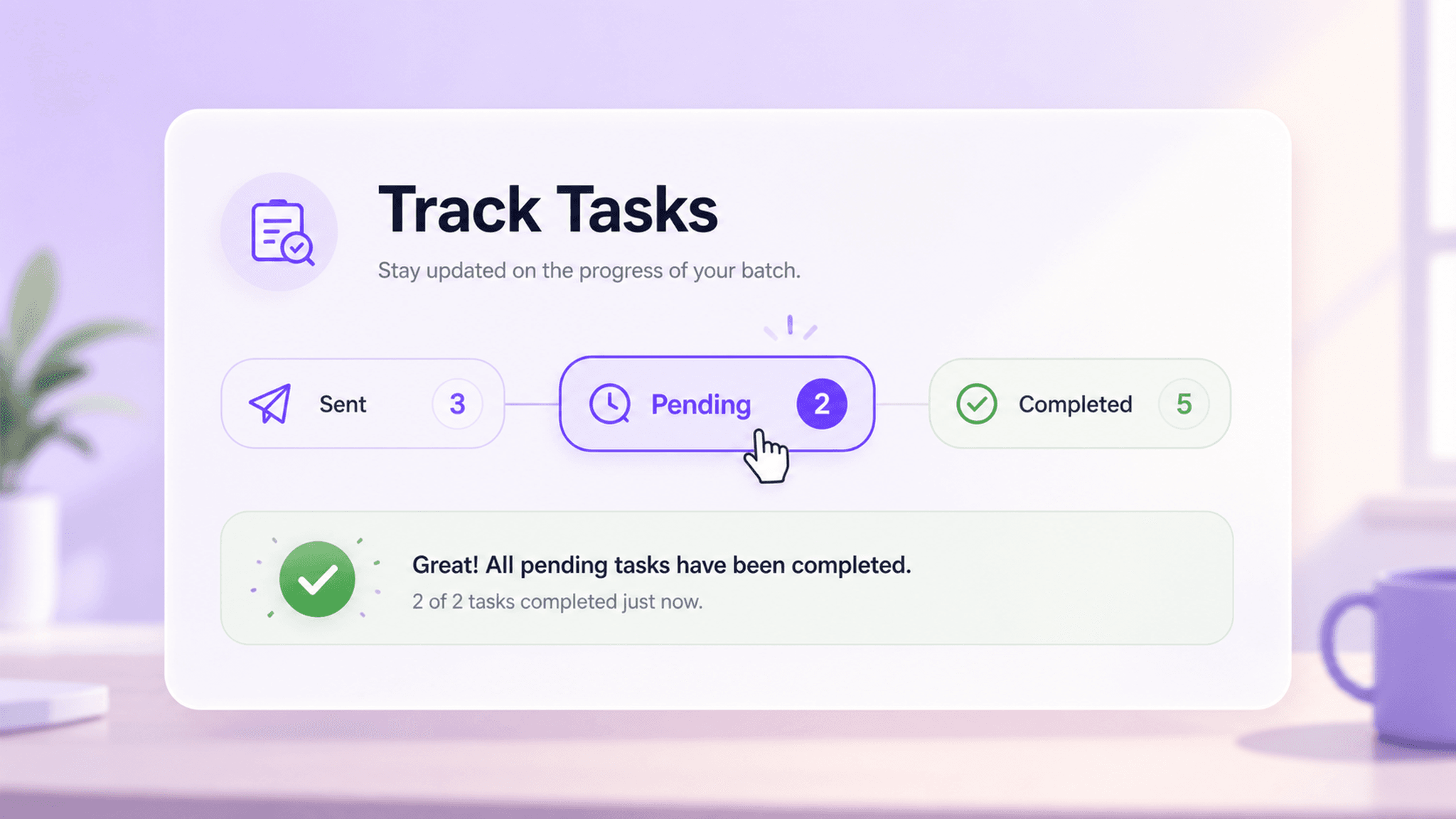
Task dashboard for real-time signing progress visibility interface

Task dashboard for real-time signing progress visibility

After bulk tasks are created, the system provides a centralized task dashboard to help teams continuously track the processing status of each document. Administrators can view tasks that have been sent, are pending signature, completed, abnormal, or require follow-up, enabling them to quickly identify process bottlenecks and take next steps. With visual progress management, enterprises can improve cross-department collaboration efficiency, reduce offline statistics and manual reminders, and make the bulk signing process more transparent and traceable.

  • View task status in one place
  • Identify exceptions and follow-ups
  • Reduce manual reminders and reporting

Feature value

Through bulk generation, automatic distribution, and centralized tracking, enterprises can process large-scale signing tasks more efficiently while keeping processes standardized and controllable.

Improve bulk processing efficiency

Import signer and contract data once, then automatically generate and send multiple signing documents.

Reduce manual operation risks

Use templates, variables, and workflow rules to reduce repetitive data entry and manual configuration errors.

Manage signing processes centrally

View task status centrally, making it easier for business teams to follow up, send reminders, and archive documents.

Adapt to multiple business scenarios

Cover high-frequency document signing needs such as employee contracts, supplier agreements, customer orders, and confirmation letters.

Typical business scenarios

In business scenarios related to bulk sending contracts and documents, enterprises can improve signing efficiency, collaboration quality, and process traceability based on specific workflow needs.

Bulk HR employee onboarding signing

Pain point

During hiring seasons or store expansion periods, HR teams need to centrally process employment contracts, NDAs, and onboarding documents for multiple employees. Creating and sending them one by one is inefficient and prone to errors.

Solution

Import employee information in bulk via Excel and use standard templates to automatically generate signing documents. The system distributes tasks centrally and tracks the status of each document.

Generate documents in bulkTrack status in one place
View solution

Simple Pricing, Clear Plans

Trial

For first-time users and document recipients

Free

Start free trial

Key features:

  • Secure document storage and management
  • Fast e-signing
  • Team seal management
  • Email support

Basic

For individuals and small teams with essential e-signature needs

US$24.9/mo

Buy now

Includes all Trial features, plus:

  • Up to 100 sends per year
  • SMS-assisted workflows
  • Unlimited users
  • AI Center
Learn more

Advanced

Custom billing for complex enterprise requirements

Contact us

Contact sales

Includes all Professional features, plus:

  • Watermark settings
  • One billing account for multiple workspaces
  • Custom user roles
  • Advanced API integration
  • Priority technical support
Learn more

Bulk Sending Contracts and Documents FAQ

Frequently asked questions about bulk sending contracts and documents.

Bulk send refers to creating and distributing multiple signing tasks at once, usually by combining contract templates with signer data sheets, for handling large-scale document signing.

See how this feature fits your business scenario

Talk with an eSign.AI consultant about your signing workflows, compliance requirements, and integration needs to get practical configuration guidance.

Contact sales