eSign.AIeSign.AI

What is Contract Template Management?

Contract Template Management is a management approach that turns commonly used enterprise contracts, agreements, and forms into reusable standard templates to standardize document structure, clause content, fillable fields, and signing workflows. It is suitable for high-frequency document scenarios such as sales contracts, procurement agreements, employment contracts, and authorization letters, helping teams reduce repetitive editing, lower the risk of inconsistent formatting and content, and maintain control over template versions, usage permissions, and business data population in multi-person collaboration.

A more standardized way to initiate contracts

When teams repeatedly draft similar contracts, versions, fields, and permissions can easily get out of control. With standard templates, configurable controls, and collaboration management, commonly used documents can enter the signing process faster.

Flexible controls for multiple document types interface

Flexible controls for multiple document types

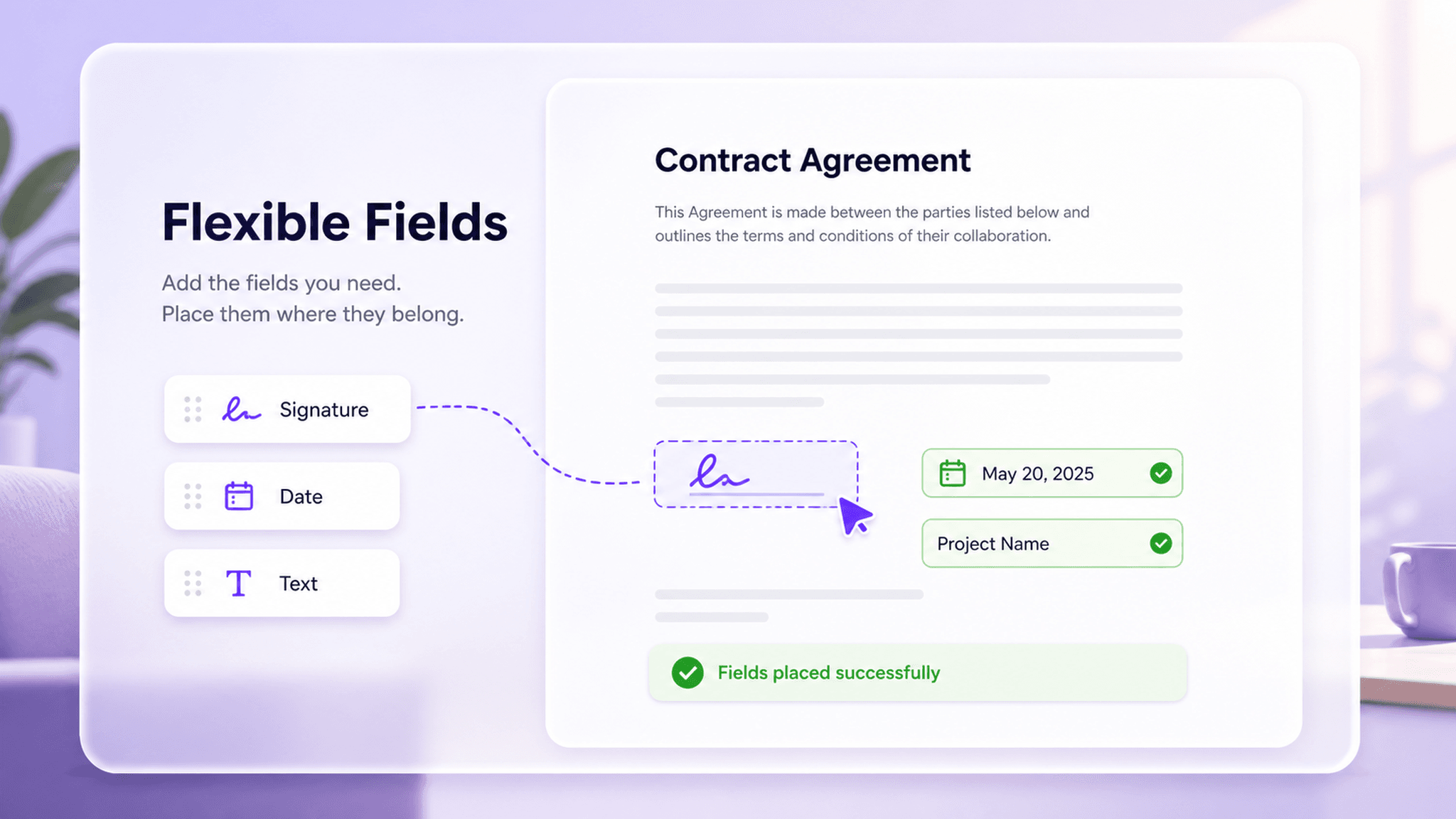
Different business documents require different information to be collected and confirmed. Template controls can be used to collect employee information, customer names, contract amounts, delivery dates, approval comments, attachment descriptions, and more, and can also specify where signers need to sign or stamp. Through field standardization, enterprises can reduce missing information and improve document completion quality.

  • Supports signature, date, and other fields
  • Standardize field entry rules
  • Reduce missed information

Quickly use standard templates interface

Quickly use standard templates

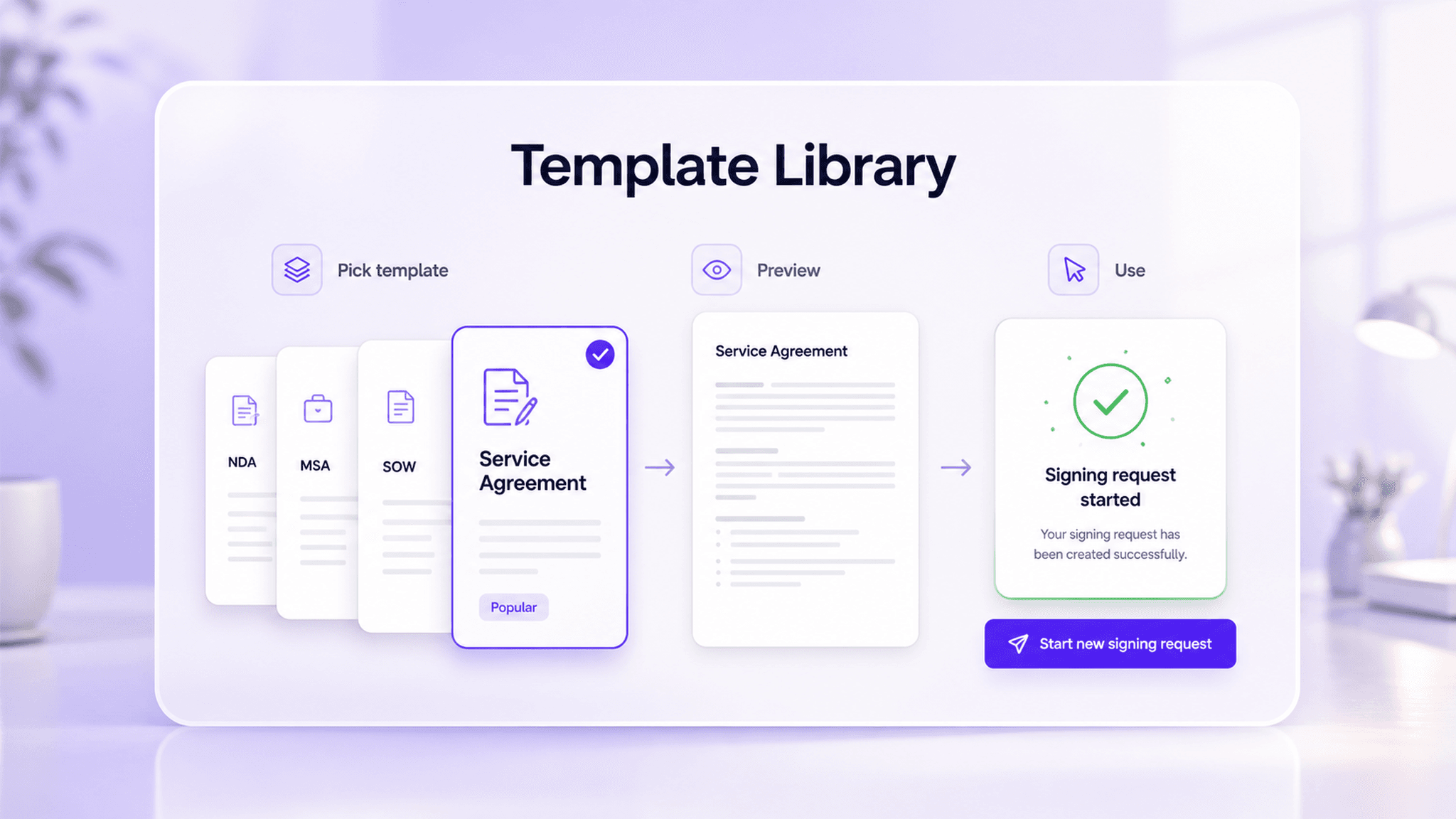
For highly repetitive signing workflows, teams do not need to re-upload documents, set signers, and configure fields every time. Through template reuse, departments such as Sales, HR, and Procurement can quickly initiate signing under unified rules, shorten contract preparation time, and reduce version confusion caused by manual modifications.

Template reuseReduce repeated upload and configuration
Quick initiationShorten contract preparation time
Smart filling to reduce manual input errors interface

Smart filling to reduce manual input errors

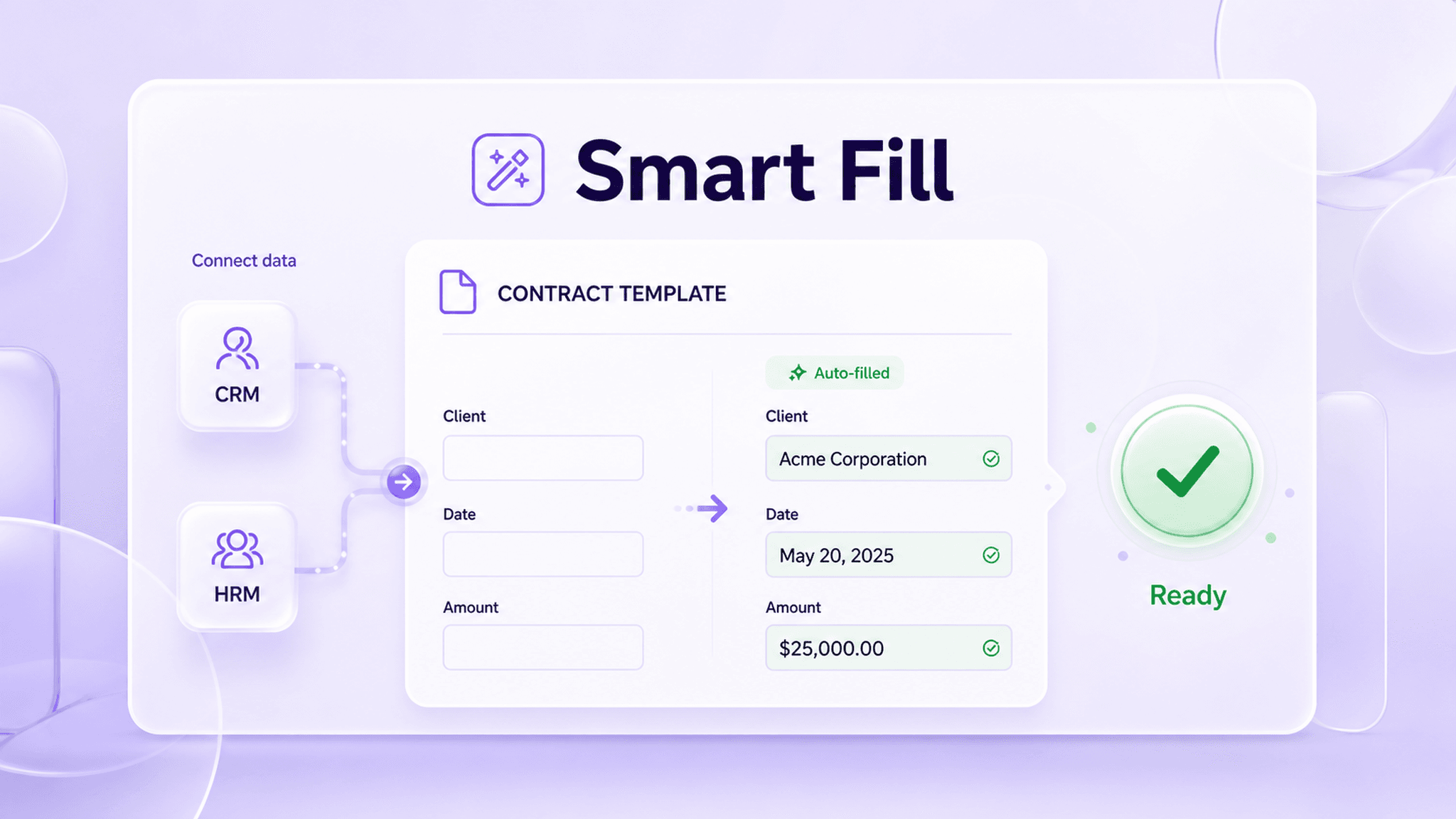
By integrating with business systems such as CRM and HRM, template fields can automatically populate information such as customer names, dates, and amounts, reducing errors caused by manual copying and data entry. For example, sales contracts can automatically link to customer data to ensure that key information in signed documents remains consistent with business systems.

System data integrationRead business fields from systems such as CRM and HRM
Automatic field fillingAutomatically write information such as customer names, dates, and amounts
Reduce manual errorsLower the pressure of repeated data entry and content proofreading
Team collaboration and permission management interface

Team collaboration and permission management

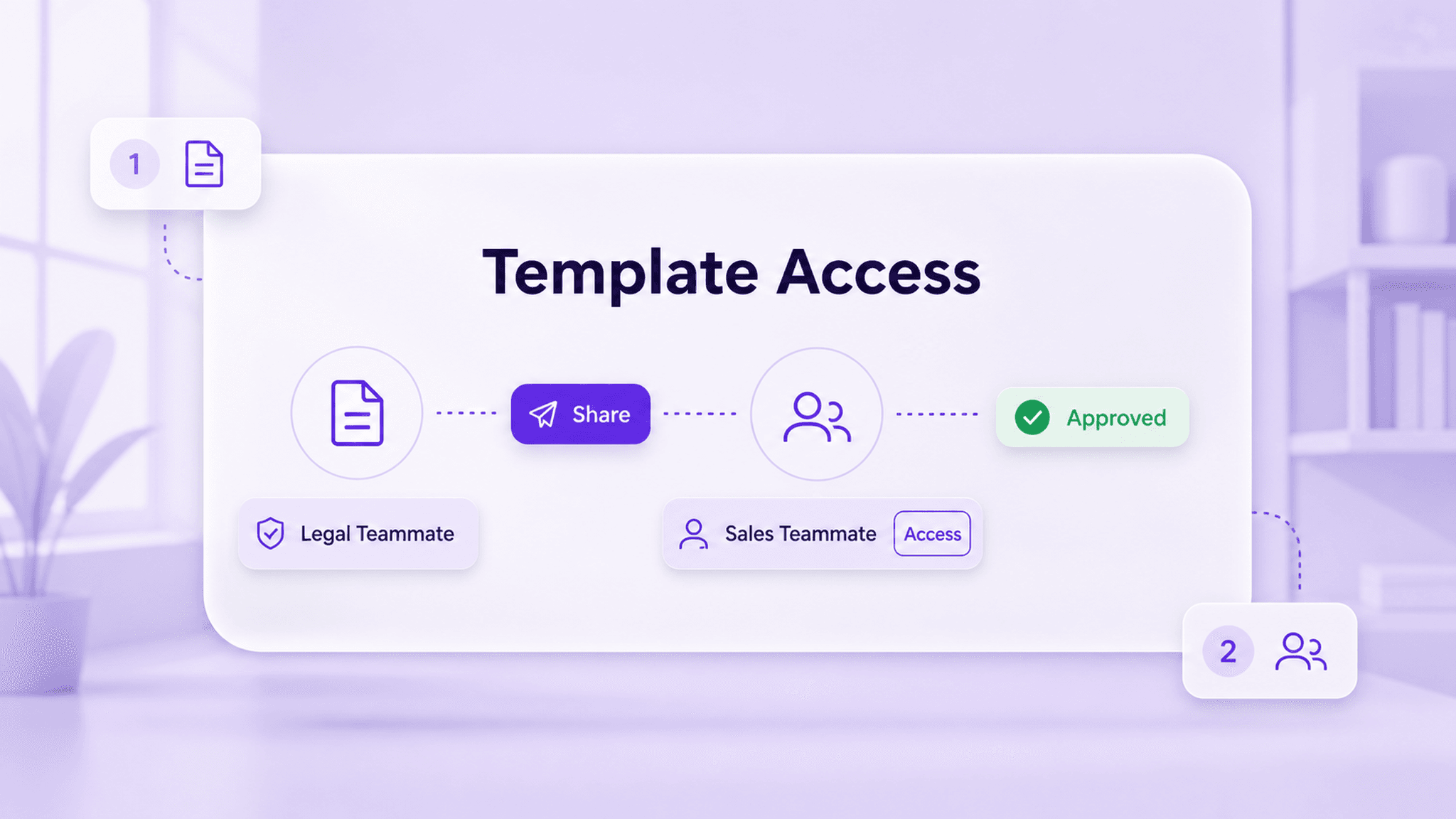
Legal teams can maintain standard clauses and template versions, business teams can use templates to initiate signing based on permissions, and administrators can centrally manage template sharing, editing, and deactivation rules. Through a centralized template library, enterprises can ensure that different departments use the same compliant document foundation, reducing repeated reviews and the circulation of non-standard versions.

  • Centrally manage template versions
  • Grant access by role
  • Reduce ad hoc document routing

Feature value

Through template-based, field-based, and permission-based management, enterprises can turn high-frequency contract processes into reusable standards, reduce repetitive editing, and improve initiation quality.

Standardize contract standards

Build reusable templates for commonly used enterprise agreements to keep formats, fields, and workflows consistent.

Reduce repetitive editing

Lower the workload of manual data entry through template use and data filling.

Lower compliance risk

Reduce unauthorized template changes through permission and version management.

Improve initiation efficiency

Adapt to high-frequency contract, form, and agreement signing workflows.

Typical business scenarios

In business scenarios related to Contract Template Management, enterprises can improve signing efficiency, collaboration quality, and process traceability based on specific workflow requirements.

HR employee onboarding

Pain point

During peak hiring periods, HR teams need to repeatedly prepare employment contracts, confidentiality agreements, and onboarding confirmation documents. Manually filling in employee information can easily lead to omissions or inconsistent versions.

Solution

Configure commonly used onboarding documents as standard templates, preset fields such as employee information, position, start date, and signing positions, and directly use the templates and populate data when initiating the process.

Standardize onboarding templatesReduce entry errors
View solution

Simple Pricing, Clear Plans

Trial

For first-time users and document recipients

Free

Start free trial

Key features:

  • Secure document storage and management
  • Fast e-signing
  • Team seal management
  • Email support

Basic

For individuals and small teams with essential e-signature needs

US$24.9/mo

Buy now

Includes all Trial features, plus:

  • Up to 100 sends per year
  • SMS-assisted workflows
  • Unlimited users
  • AI Center
Learn more

Advanced

Custom billing for complex enterprise requirements

Contact us

Contact sales

Includes all Professional features, plus:

  • Watermark settings
  • One billing account for multiple workspaces
  • Custom user roles
  • Advanced API integration
  • Priority technical support
Learn more

Contract Template Management FAQ

Frequently asked questions about Contract Template Management.

Contract Template Management refers to presetting commonly used contracts, agreements, or forms as reusable templates and configuring signing fields, signing roles, and workflow rules to improve the initiation efficiency of repetitive documents.

See how this feature fits your business scenario

Talk with an eSign.AI consultant about your signing workflows, compliance requirements, and integration needs to get practical configuration guidance.

Contact sales